
Turn your archaic hard-to-read brokerage statements into insightful consolidations and trendlines of all your investment holdings.
Instantly view consolidated trendline reports and charts of up to 22 financial reporting variables (FRVs).
RosettaFi is a Windows desktop application, sold as a monthly subscription, that reads the PDF statements your brokers already send you and turns them into one consolidated view of everything your household owns — across brokers, across accounts, across years. It installs on your own computer and your data is stored there.
If your money sits at more than one firm, nobody gives you the whole picture. Also, you are only receiving snapshots of your portfolio at moments in time. Raymond James shows you Raymond James. Fidelity shows you Fidelity. Your workplace 401(k) lives somewhere else entirely, and the trust is on a different statement again.
The tools that promise to fix this nearly all work the same way: you hand over your brokerage logins and let an aggregator sign in as you. A lot of people won't do that, and some are actively discouraged from it. So they end up with a spreadsheet, or with nothing.
RosettaFi takes the other road. Your broker already sends you a statement every month. That statement is the authoritative record — reconciled, complete, and yours. Claude, Anthropic's AI Vision, reads it. No logins, no linking, no aggregator.
RosettaFi was built over several years against real portfolios — multiple brokers, trusts, 529s, IRAs, a workplace 401(k), accounts with statements that arrive monthly and accounts with statements that arrive whenever they feel like it.
It was built by someone who wanted the answer for his own family's money, which shaped one decision above all others: it will not show you a number it cannot prove. If a report's totals don't reconcile to the underlying data to the penny, the app refuses to produce the report rather than publishing something that is not accurate. That has been the standard from the first build, and it is the reason this took years instead of months.
A desktop application that installs in one click and runs on your own machine. Your data never lives on our servers, because we don't have a copy of it.
Honestly: not yet scheduled. It needs a Mac and an Apple Developer account, and we'd rather tell you that than put a date on a page.
The app and this website are both what we want your reaction to. If something is confusing, slow, or just wrong — that is exactly the feedback worth having. Tell us.
Not a dashboard that estimates. A reporting engine that reconciles.
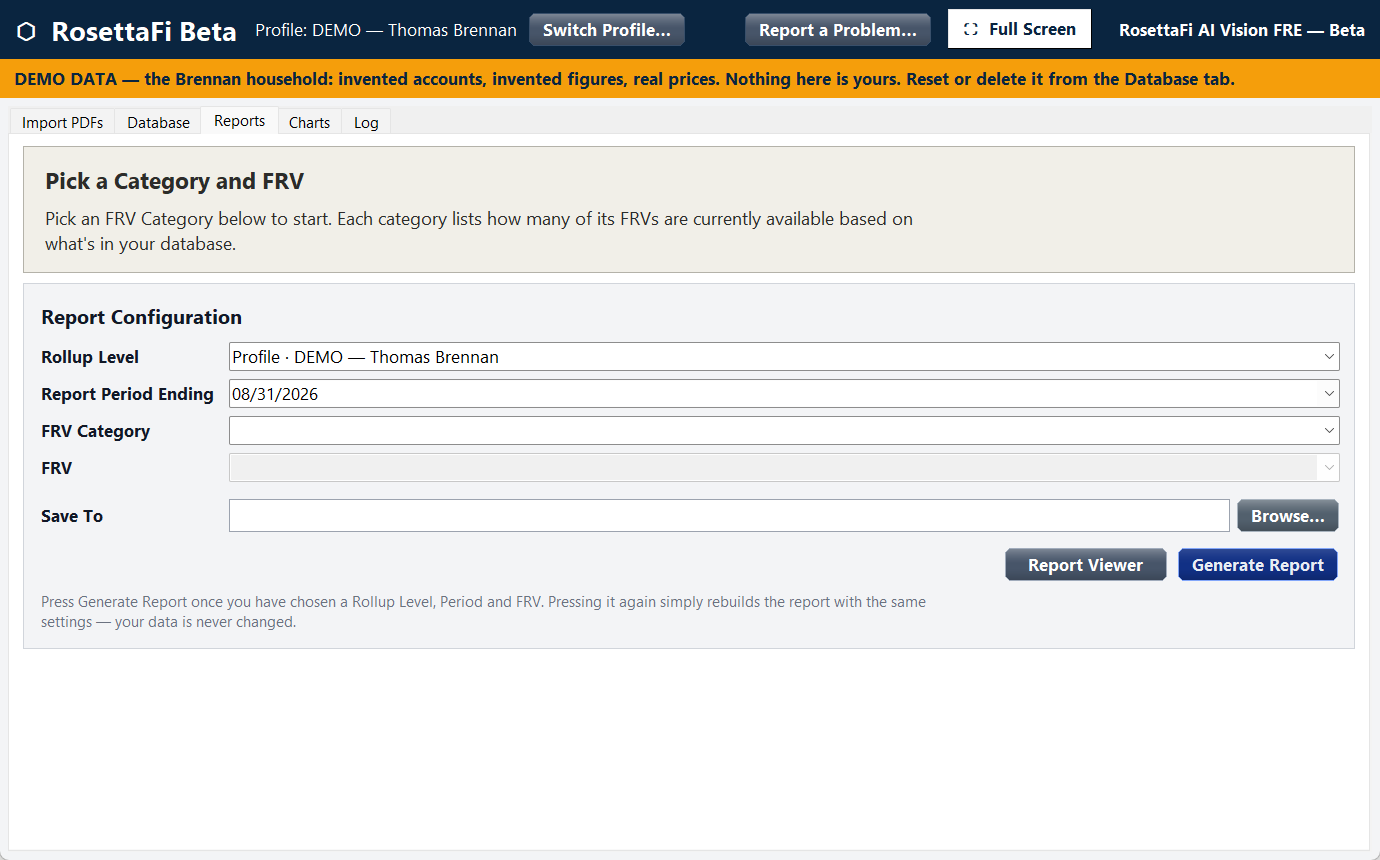
Five tabs. That is the whole application.
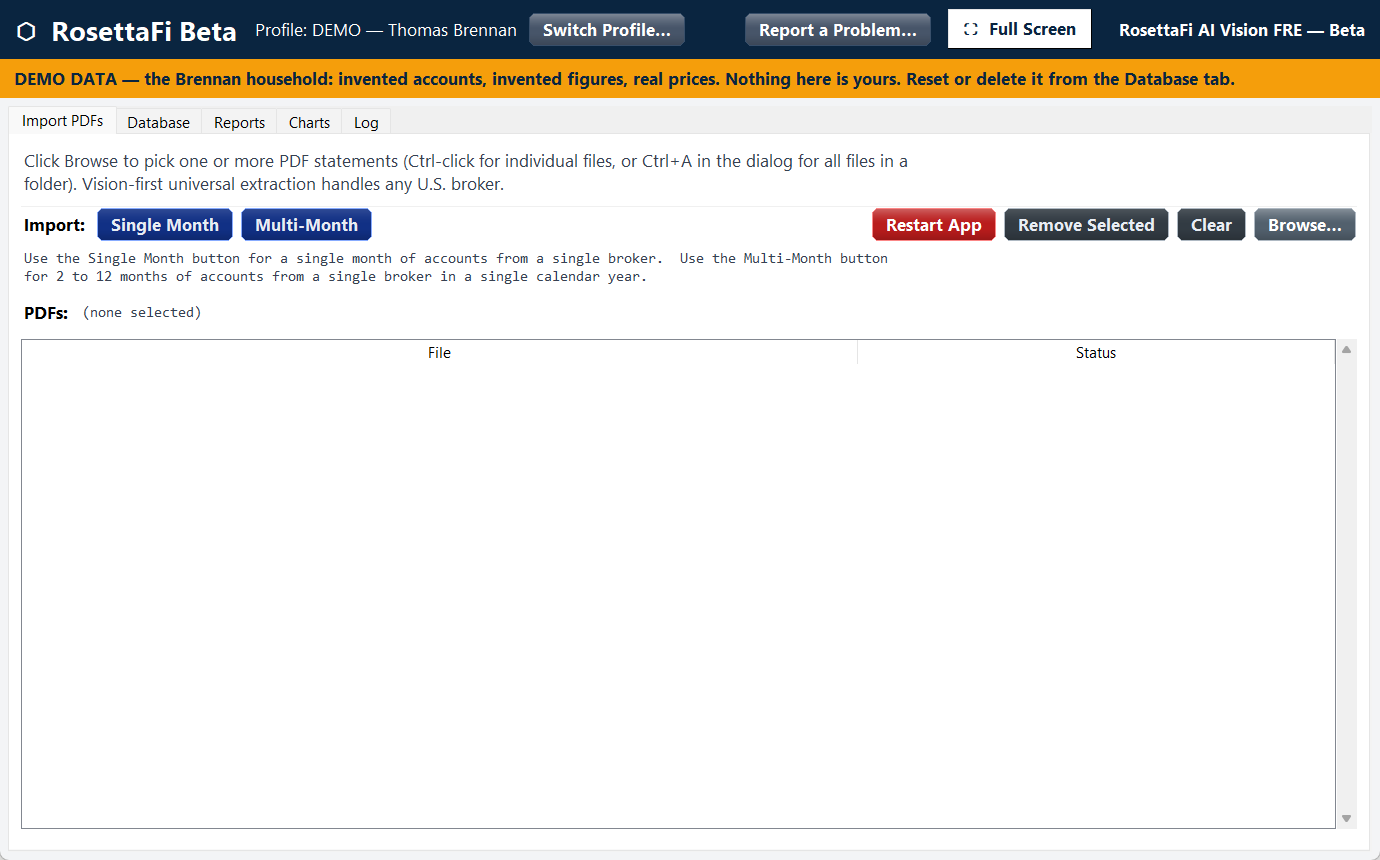
SAMPLE DATA — NOT A REAL PORTFOLIOEasily import the PDF statements your brokers already send you. One month or a whole year at once. The app organizes the brokers and accounts instantly.
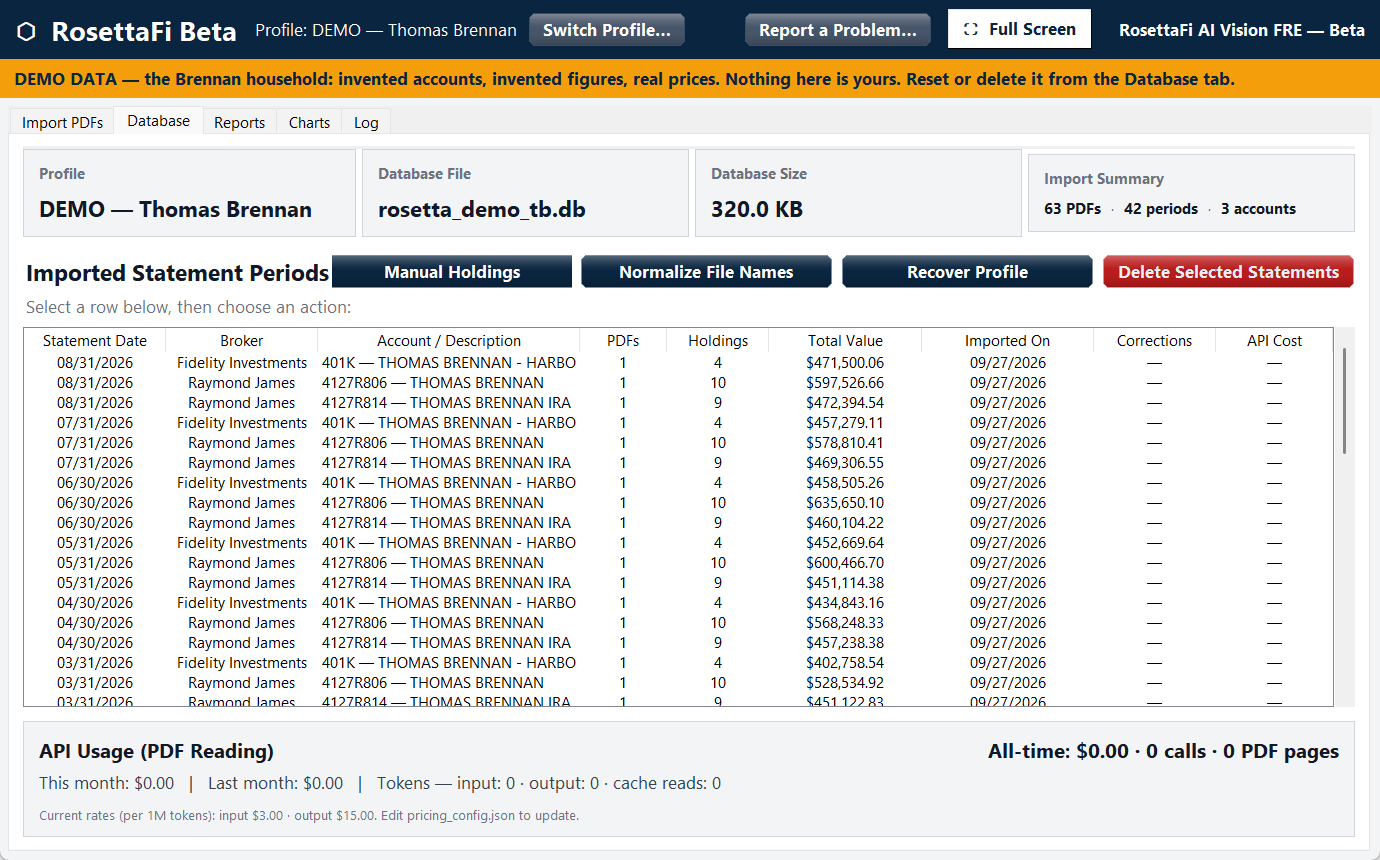
Everything it has read, one row per holding per statement period, with the totals it reconciled. Nothing is hidden from you and anything can be removed.
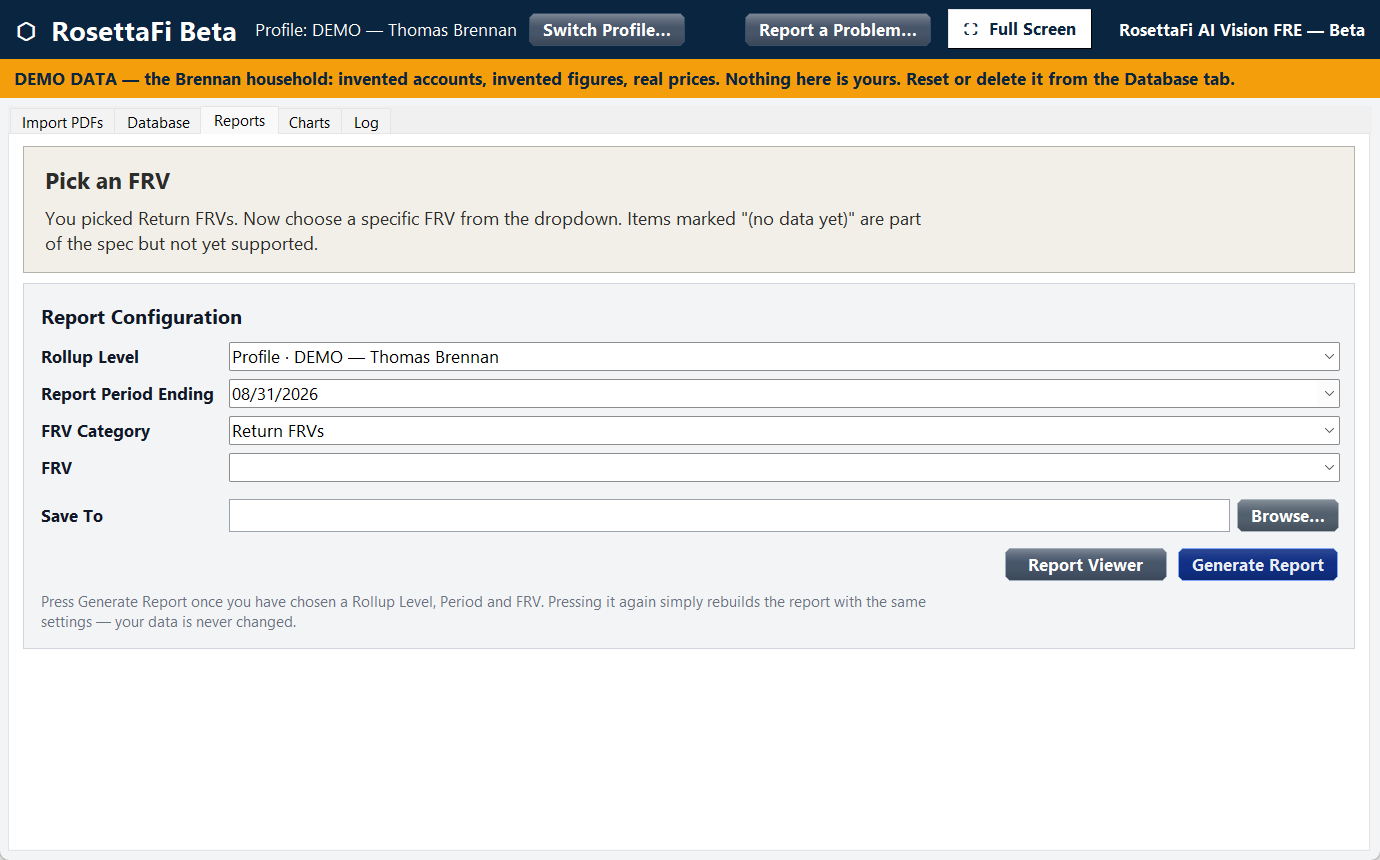
Decide how you want to look at your holdings — one account, one broker, one profile (person) or the entire household. Select the trendline report that you want to see. Like a CT scan, you can slice the reports many ways to gain the views you want to see.
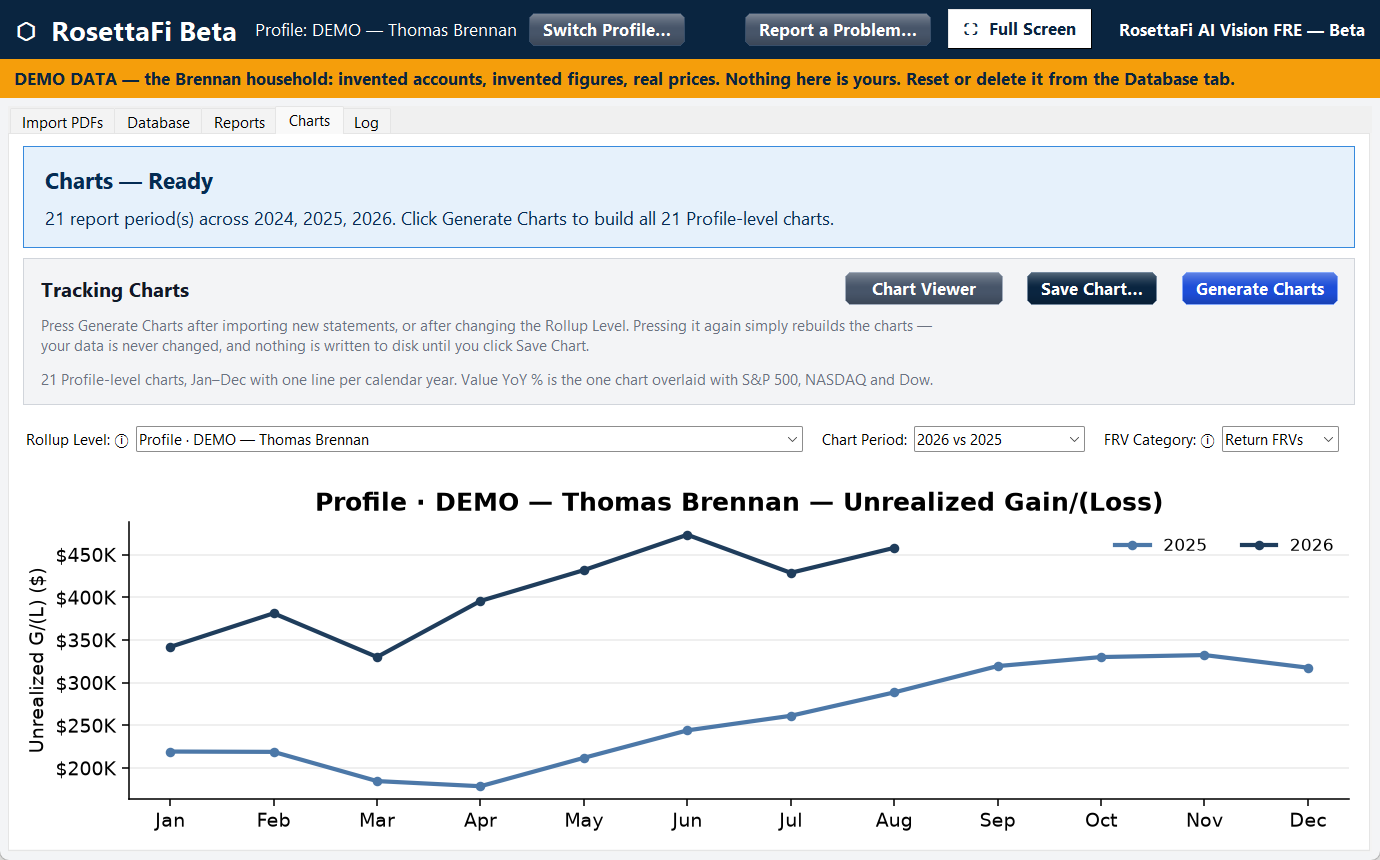
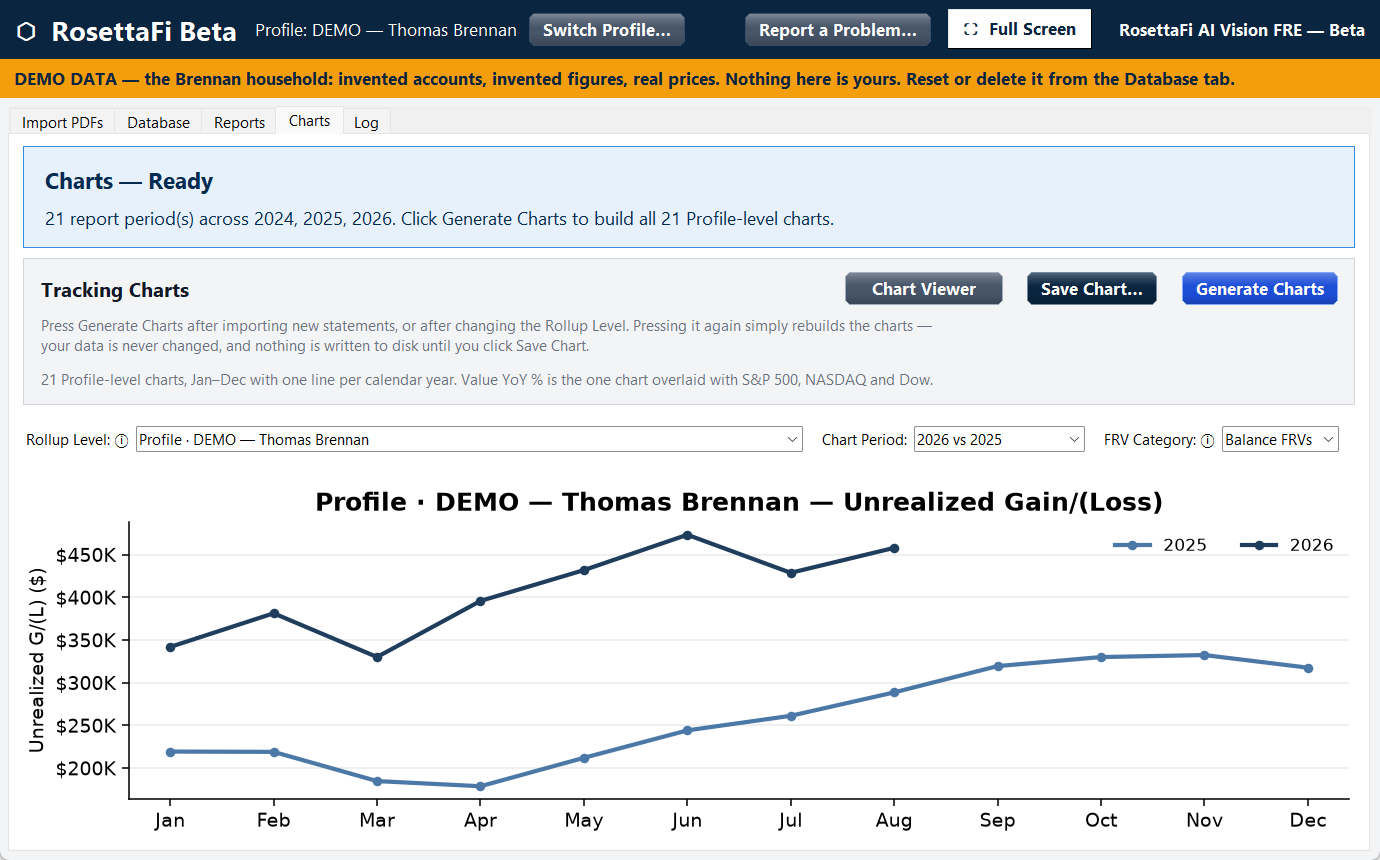
Twenty-two charts built from the same reconciled data, each calendar year on its own line so this month sits directly above the same month last year. Just like reports, you can select the view of your assets that you want to see — and you have 22 different views to choose from.
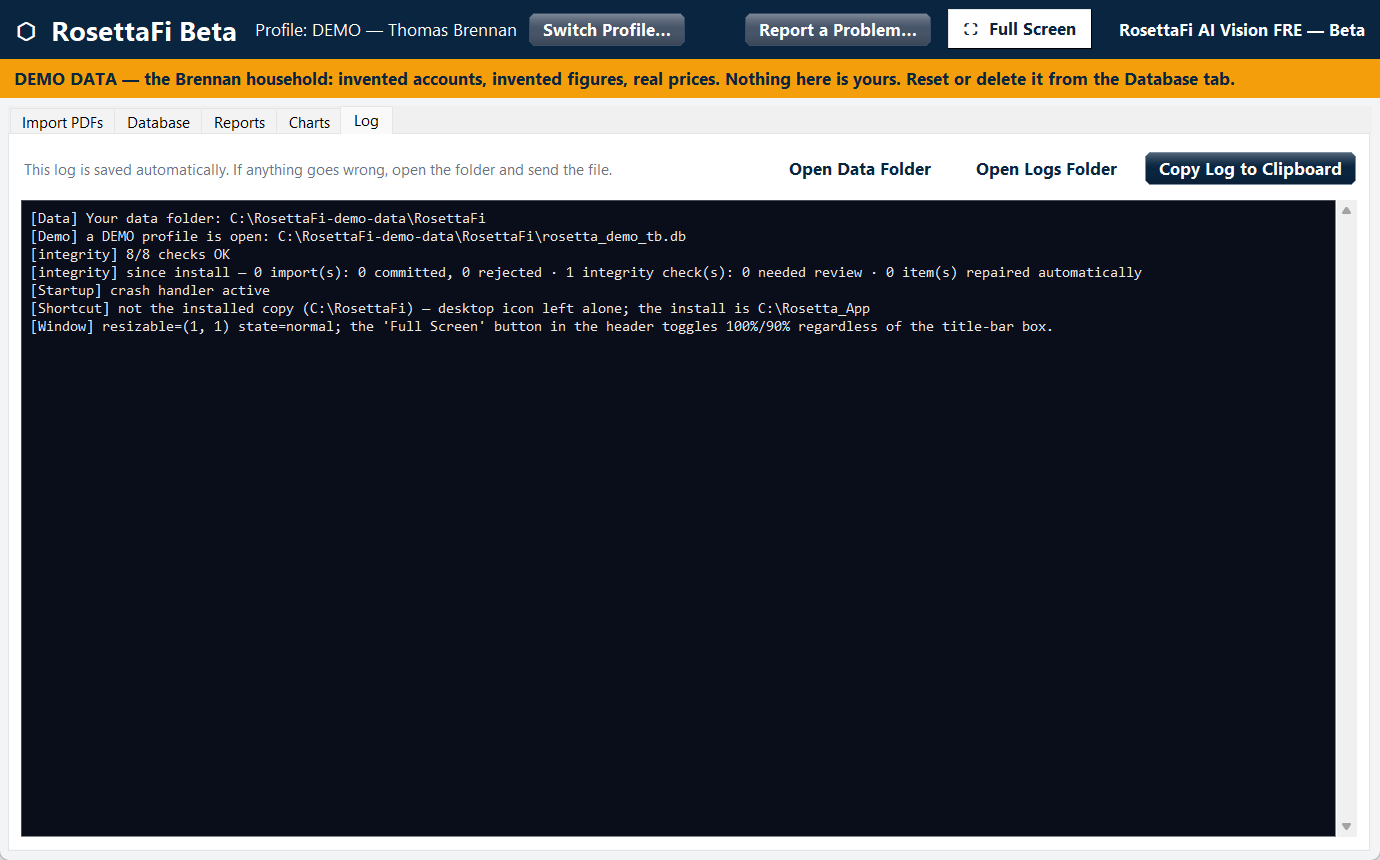
Every import, every repair, every decision the app made, in plain language. If something ever looks wrong, this is the file you send us.
We never ask for an account login. It's the main thing we are the alternative to.
No recommendations, no tax guidance, no opinion on what to buy or sell. It reports precisely what you own and how it is performing.
There is no account on our servers that has your holdings, so there is nothing to be hacked or for us to lose.
The honest version, not the marketing version.
Your database. Your statement files. Your reports and charts. Your account numbers, balances, holdings and history remain on your PC's hard drive.
The pages of a statement you choose to import — encrypted, passed through a server provided by Render to Anthropic's AI vision service. The server keeps a count of what was read and never keeps the pages. See below for how long Anthropic holds them.
We never ask for or take possession of any of your brokerage sign-in credentials, so we cannot lose them, leak them, or be compelled to produce them.
Like the other major AI providers, Anthropic, which reads the statements, keeps content for up to 30 days and then deletes it automatically. This short window is industry standard: it lets providers detect misuse of their systems and meet legal requirements, unless content is flagged for misuse or the law requires it to be kept longer. Anthropic's commercial terms separately forbid using your data to train its models. Render's server stores nothing: it counts tokens for usage and billing and passes the request through.
A brokerage and bank account aggregator has to hold your credentials to work. That means they possess a database containing the keys to thousands of brokerage accounts, which is a target whether the company is careful or not. We don't have that database and never will, because our design doesn't need one.
The trade is real and worth stating: because your data is on your machine, backing it up is your job. The app keeps automatic backups locally, and your original PDFs are the source of truth — re-importing skips anything already loaded and is never counted again. Anything that goes wrong is recoverable.
If a statement won't read correctly, you can choose to send us that one file so we can fix it. It is a button you press, on a file you pick, showing you exactly what will be sent. Nothing is ever sent automatically, and the app never connects with our server on its own.
Your data folder is yours. It survives uninstalling the app, and it's yours to back up, move, or delete. We can't delete it for you, and we can't produce a copy of it for anyone else either.
RosettaFi isn't open yet. Join the waitlist and we'll email you when it opens.
Four plans with one difference between them: how many brokerage accounts you want to import. Choose a plan, create your account, and download the app from your account page.
| What counts as one account? | One account for one statement period submitted in a PDF format. Re-importing a PDF for a specific statement period you've already loaded is never counted again. |
|---|---|
| What if there is more than one account reported on a single broker PDF? | Each account reported on a single PDF is counted as an account against your subscription limit. |
| What about my back history? | When you join you can import your History Months — all twelve months of the prior calendar year, plus December of the year before that. That December statement is what makes the prior year work: it gives every month a starting point, so you see real year-to-date progress rather than disconnected snapshots. You can also import every month of the current year your brokers have already sent, which gives you year-over-year comparisons from day one. Importing your history is included with your first subscription payment. |
| Does my history ever expire? | No. Every month you import is kept, and your history grows for as long as you subscribe. Reports and charts reach across all of it — once you have imported multiple years you can compare any year against any other. Nothing is ever removed. |
| Can I change plans? | Yes, up or down, at any time. |
| What happens to my data if I cancel? | Nothing. It's on your computer. The app stops reading new statements; everything already imported stays exactly where it is and your reports keep working. |
| Annual billing? | Yes — pay for a year up front and save 20%. The annual price is shown on each plan above. Same plan, same limits, one payment instead of twelve. |
The fastest route to a human is the form below — and it goes to a person, not a queue.
Install the app, create your first profile, import your first statement, generate your first report. Four short guides coming with your first app installation.
New builds, what changed, and current service status. Check here first if something stops working.
A three-minute walkthrough of a first app import. In production.
You can import 13 to 24 months of past statements, within 30 days of the day you enroll.
Why it starts with a December. Every RosettaFi trendline report follows the calendar: it begins with December of the prior year, your opening balances, and runs through December of the current year. So your history always starts with a December.
How many months you get depends on the date you enroll. The formula is the same for everyone:
Two examples
Tip: download your PDF statements before you enroll, so you're ready to import on day one. Your Account page shows the date your window closes and the first month you can import.
This is the most useful thing you can do for us. Send us anything that is confusing, slow, wrong, or missing — all of it counts. It is early stages for this app and we know that subscriber feedback will help it to be better than it ever could be with just us and our software engineers.
Use the form below (Send feedback), or email support@rosettafi.com. No form, no ticket number — it goes straight to a person.
If it's a bug, telling us which brokerage and which statement period is the single most useful thing you can add. Attach the log file if you have it — it records counts and error codes only, never dollar amounts, security names or account numbers.
Use the form below (Contact support) - or write to support@rosettafi.com - and say what you were trying to do when it went wrong. That reaches a person, not a queue.
Support, feedback, billing - one form, and it reaches a person. We reply within one business day.
 Rosetta